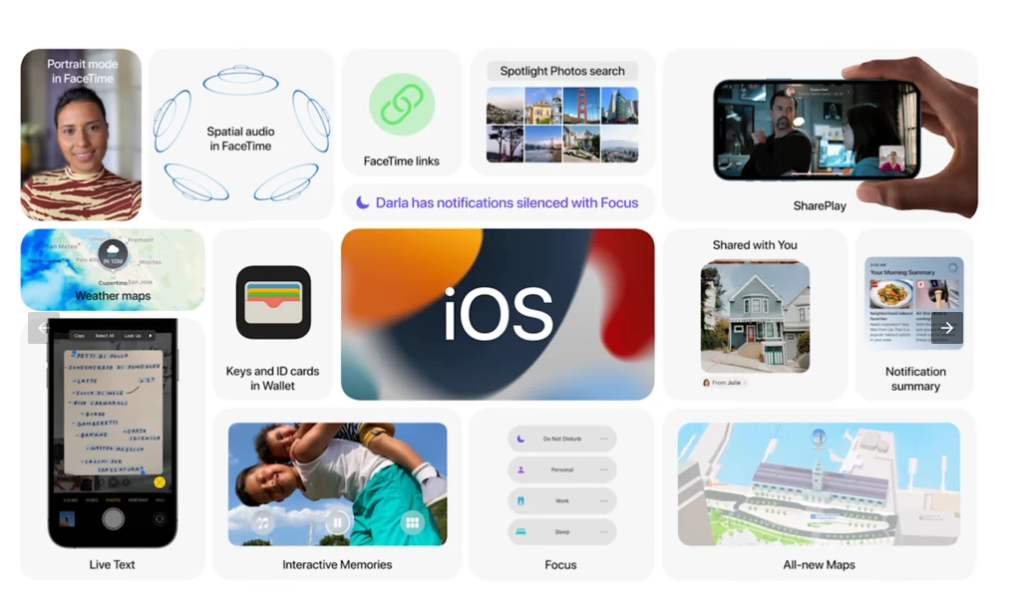
iOS 15 is compatible with the iPhone 6s and later, which means it runs on all devices that are able to run iOS 14, and will be released this fall. Apple has seeded beta versions of iOS 15 to developers. A version for public beta testers will become available in July.
A public beta will be available to iOS users for testing in July at beta.apple.com.
Here are all the features that Apple announced that are coming iOS15.
Face Time
FaceTime now features Portrait mode for video calls, so users are able to blur out their background and put themselves in focus, and mute alerts so it is clearer when you are speaking on mute. There is also a new grid view for group FaceTime calls, enabling participants to see more faces at the same time, and an optical zoom control for the back camera.
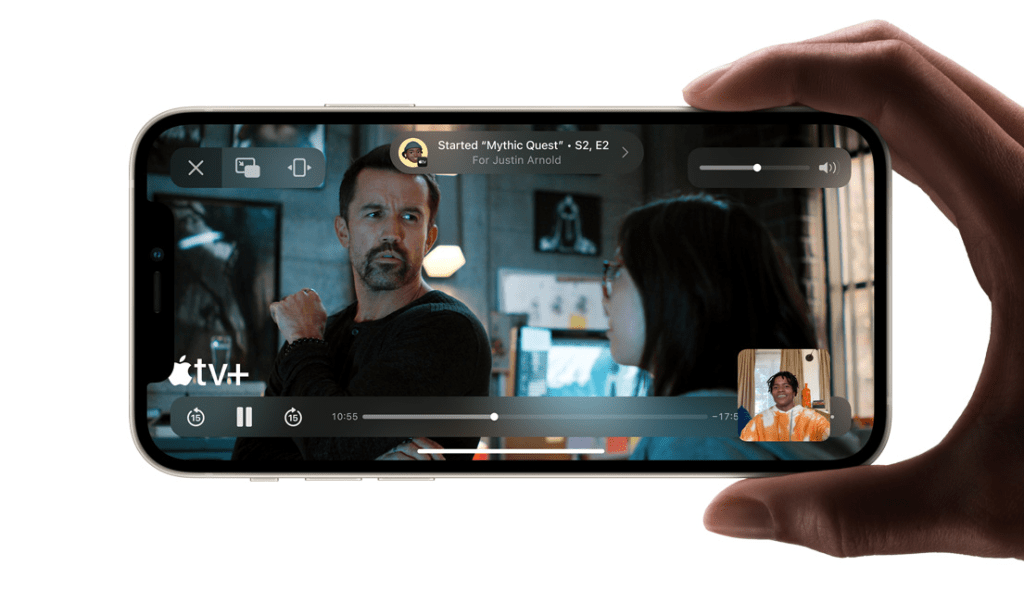
SharePlay
SharePlay is a new feature that allows users to share experiences with each other during FaceTime calls, including you can stream movies and TV shows while on FaceTime call with friends. Media is played in sync for all participants and whole group can see what your sharing on your screen.
FaceTime Links
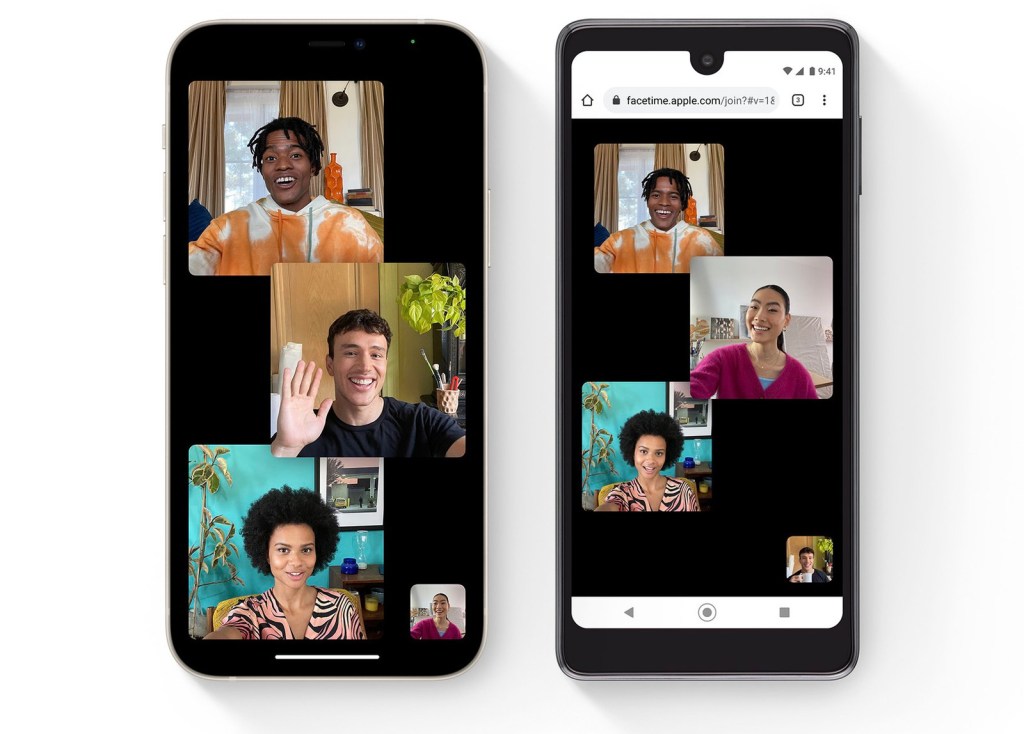
Users can now create a link to a FaceTime call and share it through Messages, Calendar, Mail, or third-party apps.
FaceTime links can be opened to use the FaceTime app on Apple devices, but they can also be opened through a web browser, bringing FaceTime to Android and Windows for the first time. FaceTime calls on the web remain end-to-end encrypted to guarantee privacy.
Focus
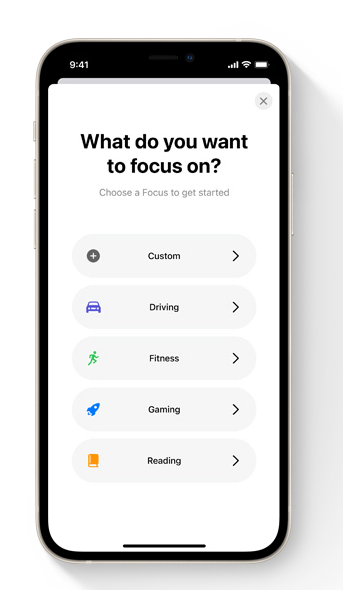
Focus helps you stay in the moment when you need to concentrate or step away. Choose a Focus that allows only the notifications you want — you can get work done while you’re in the zone or enjoy a distraction‑free dinner. Pick from a list of suggested Focus options or create your own.
Notification
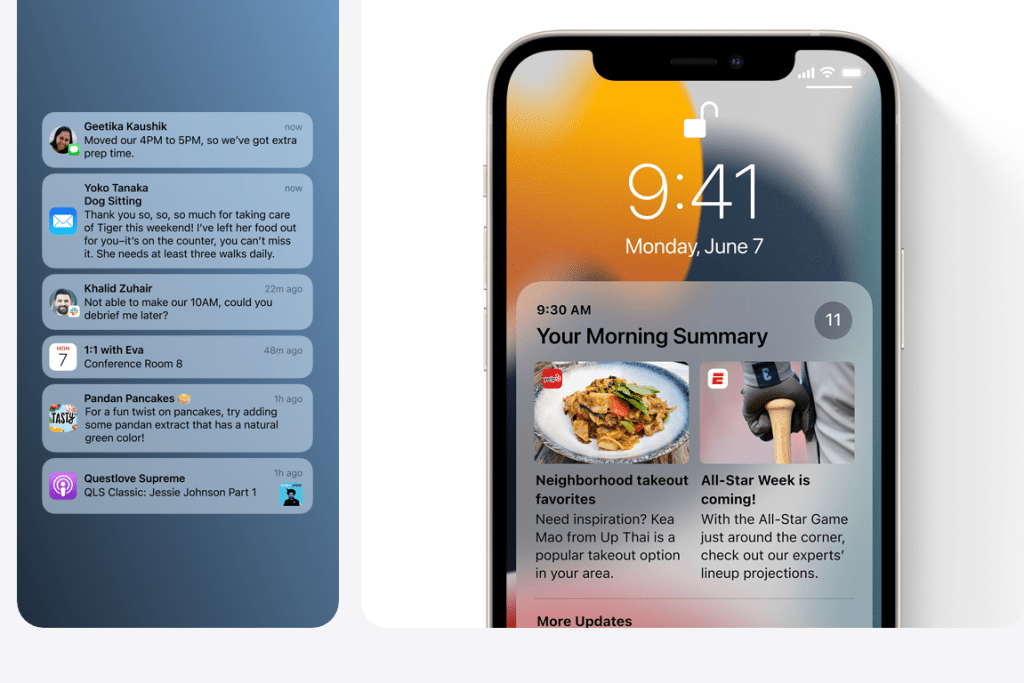
Redesigned notifications
Notifications have a new look, including contact photos and larger app icons to make them easier to identify.
Notification summary
Quickly catch up with a helpful collection of your notifications delivered daily, based on a schedule you set. The summary is intelligently ordered by priority, with the most relevant notifications at the top.
Maps
All-new city experience

Explore cities with unprecedented detail for roads, neighborhoods, trees, buildings and more. Visit amazing 3D landmarks like the Golden Gate Bridge in both the day and dark mode maps.
New driving features
Maps now offers drivers incredible road details and a new dedicated driving map that helps you see current incidents and traffic conditions at a glance. Public transit integration shows nearby stations and transit times, and lets you pin favorite routes to the top.
Safari
iOS 15 brings a completely new design to Safari. Controls are brought to the bottom of the screen so that they are easier to reach with one hand.
There is a new, compact tab bar that floats at the bottom of the screen so that users can easily swipe between tabs, and it also contains a Smart Search field. Tab Groups allow users to save their tabs in a folder and sync across the iPhone, iPad, and Mac. In addition, there is a new tab overview grid view.
Users can simply pull down a web page to refresh it and there is now support for voice search. Safari also gains a customizable start page and mobile web extensions for the first time.
iOS 15 features new Safari privacy protections, including Intelligent Tracking Prevention that prevents trackers from profiling you using your IP address, and Safari will automatically upgrade sites known to support HTTPS from insecure HTTP.
Find My
The Find My app introduces new abilities to help locate a lost device that has been turned off or erased using the Find My network. A family member or friend who chooses to share their location with you will now continuously live-stream their location to provide a sense of direction and speed.
Apple is adding Find My network support to AirPods Pro and AirPods Max, and there is a new Find My widget for an at-a-glance look at locations. There are also new Separation Alerts to notify a user if they leave an AirTag, Apple device, or Find My accessory network behind in an unfamiliar location.
Siri
In iOS 15, Siri requests are processed on-device using the Neural Engine, increasing security and significantly boosting responsiveness, while also no longer needing an internet connection.
On-device speech recognition and understanding improve as you use your device. Siri is also able to learn about the contacts you interact with most, new words you type, and topics you read about to provide better responses.
Siri can now share onscreen items such as photos, web pages, content from Apple Music or Apple Podcasts, Apple News stories, Maps locations, and more, in a Message, or even take a screenshot to send. In addition, Siri can now use onscreen context to send a message or place a call.
Siri is now better at maintaining context between requests, so you can conversationally refer to what you previously asked. You can also make requests to control a HomeKit device at a specific time or under certain circumstances, like when you leave home.
Siri is also able to Announce Notifications, such as Reminders, on AirPods and in Apple CarPlay, and users can ask Siri what is on their screen.
Siri offers neural text-to-speech voice in more languages in iOS 15, including Swedish, Danish, Norwegian, and Finnish. There is also Siri language support for Mixed English, Indic, and a mix of Indian English and a native language, including Hindi, Telugu, Kannada, Marathi, Tamil, Bengali, Gujarati, Malayalam, and Punjabi.
Visual look

Learn more with a tap
With Visual Look Up, you can quickly learn more about art, landmarks, nature, books and pets simply by tapping a photo on your device or on the web. Discover more in photos Learn more about the objects in your photos. Visual Look Up highlights objects and scenes it recognizes so you can get more information about them.
Live Text also works in the Camera app, so you can point your iPhone camera at text on the go and quickly take action on useful information. Live Text understands seven different languages: English, Chinese, French, Italian, German, Portuguese and Spanish. And with system-wide translation, you can simply tap and translate.
Privacy
- Mail Privacy Protection – Mail Privacy Protection prevents senders seeing your IP address or if you have opened their email.
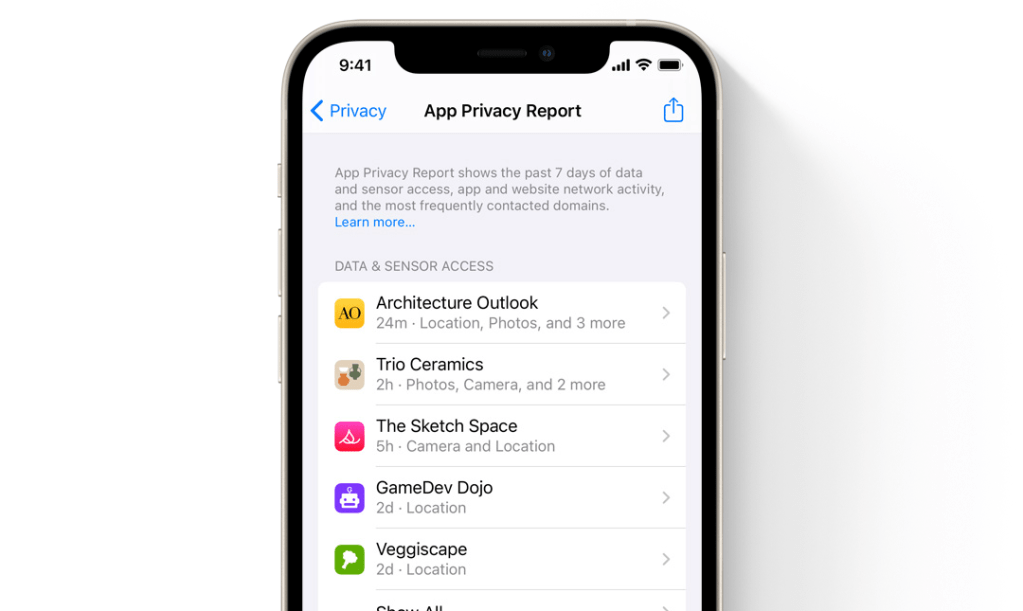
- App Privacy Report – A new section in Settings allows users to see how often apps have accessed their location, photos, camera, microphone, and contacts during the last seven days. It also shows which apps have contacted other domains and how recently they have contacted them.
- Secure paste – Developers can allow you to paste content from another app without having access to what you have copied until you want them to have access.
- Share current location – Developers can let you share your current location temporarily with a customizable button in their apps.
- Limited Photos Library access improvements – Developers are able to offer smart functionality when accessing the Photos library, requesting limited access to specific photos folders and album selection.
And much more features
iOS 15 Supported devices.
iOS 15 is compatible with all of the same iPhones as iOS 13 and iOS 14, including older devices like the original iPhone SE and iPhone 6s. iOS 15 compatible devices are listed below.
- iPhone 12
- iPhone 12 mini
- iPhone 12 Pro
- iPhone 12 Pro Max
- iPhone 11 Pro
- iPhone SE (2020)
- iPhone 11 Pro Max
- iPhone 11
- iPhone XS
- iPhone XS Max
- iPhone XR
- iPhone X
- iPhone 8
- iPhone 8 Plus
- iPhone 7
- iPhone 7 Plus
- iPhone 6s
- iPhone 6s Plus
- iPhone SE (2016)
- iPod touch (7th generation)
source : Apple
 UrTechie